Say you have your Raspberry Pi all setup perfectly for you favorite project, but you are afraid that your SD Card might get corrupted or that a config change or install will mess things up. You should then consider backing up your SD Card as an image on your main computer. That way you can tinker away and if something goes wrong, you can just recover from the point where everything was setup perfectly. Here’s how to do that on a windows computer.
First install Win32 disk imager on your computer
You can download it from: https://sourceforge.net/projects/win32diskimager/
Once installed open it up and you will see this:
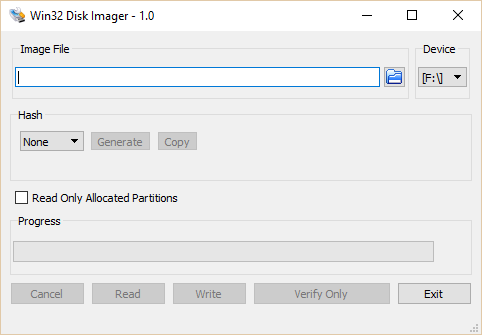
On the Device section select the drive letter of your SD Card
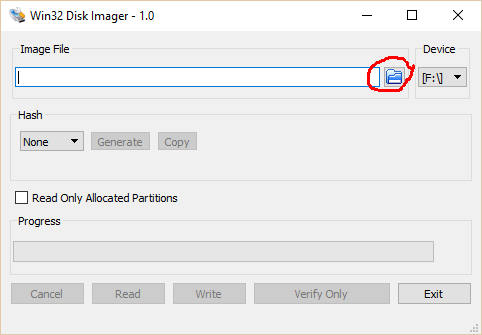
The next step, you want to select the location of where you want to save the backup image to. Select the folder icon in the image file section shown below:
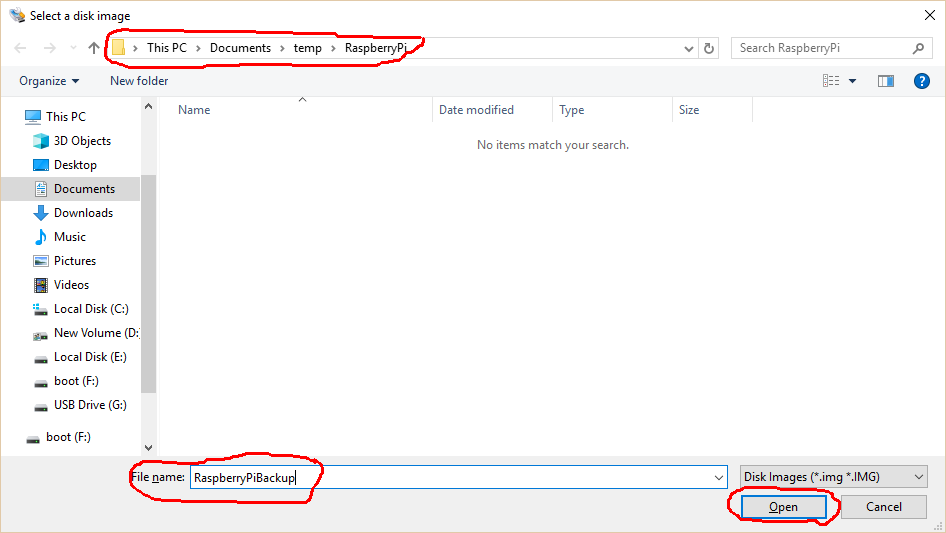
Browse to the folder where you want to save the backup to and give it a name and click the “Open” button
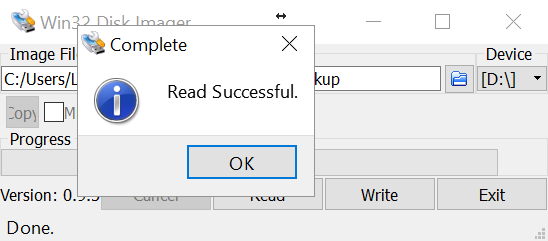
Now the “Read” button will be enabled and you can save the backup. Click on the “Read” button.
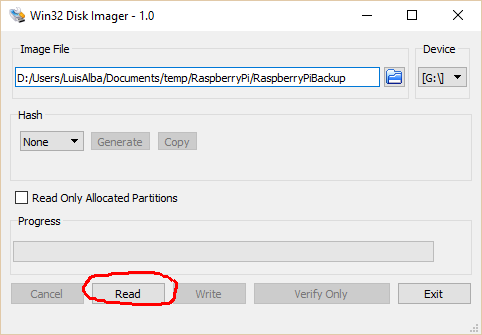
Wait until the reading is finished and your done! You can write this image in the future if you ever feel the need to get back to it.

 Lu's Tech Source